Google Forms character limit
Last updated September 2026 · ~8 minute read
There isn’t a published one. Google states no maximum number of characters for an answer to a Google Form — not for Short answer, not for Paragraph, and not in the Forms API either. The only character count Google documents is the Length rule that you set on a question. There is one real ceiling, and it is downstream: a cell in the linked Google Sheet holds 50,000 characters.
Form+ edits your real Google Forms on iPhone and iPad — your account, your Drive, no migration. Get Form+ free on the App Store.
That is an unsatisfying answer to a simple question, so it is worth being precise about it. “What is the limit?” has no published answer. “How do I set one?” has a very clear one. Most of the numbers floating around for this question are the second thing, quoted as if it were the first.
How we checked
We looked for a platform ceiling in the places that would carry one, and recorded what each said.
Google’s rules page, How to set rules for your form,
documents the Length rule and gives example numbers, but publishes no maximum.
Edit your form limits a form to 300 pieces of content and 75
sections and says nothing about characters. Google Drive’s file-size
page, which carries the per-file limits for Docs, Sheets, Slides and Sites, does not mention
Google Forms at all. On the developer side, the
Forms API reference for forms declares no maximum length on
any field — the only numeric bound in it is a media width of 0 to 740 — the
forms.responses reference sets none on a text
answer, and the API’s usage-limits page is entirely per-minute request quotas. A site-scoped search of
Google’s help centre for a Forms character limit returns the rules page and a long tail of community
threads asking the same question, which is its own kind of evidence.
So: no number. We are not going to borrow one from Sheets, from Drive or from a blog and present it as a Forms limit.
The limit you can set yourself
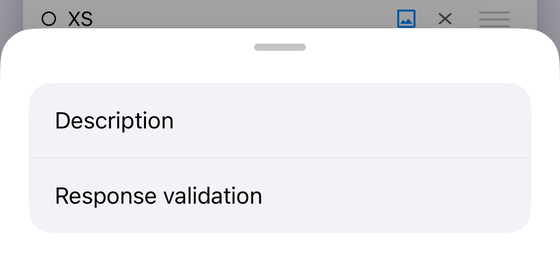
This is the part Google does document. Turn on response validation for a question and pick Length from the category menu. Google’s instruction is to “select Maximum or Minimum character count, and the number” — so the ceiling is whatever integer you type, and there is no published cap on that number either. Google’s own worked example on the same page is “Limit answers to 500 characters”, with “require at least 200 characters” as the minimum case.
Two things about this rule are easy to miss.
- It counts characters, not words. Spaces and punctuation count. There is no word-count rule anywhere in Forms, which is why a “500 word” brief usually becomes a 3,000-character cap with the real intent explained in prose.
- Only two question types offer it. Google’s rules page has five sections — Short answer, Paragraph, Checkboxes, Multiple choice grid and Checkbox grid — and Length appears under the first two only. The grid sections have their own row and column rules; Checkboxes counts selections, not characters. A Multiple choice, Dropdown or Linear scale question cannot be given a character count at all.
Alongside the number there is a Custom error text field. Google describes it as optional: enter a message, and “responders will get this message when their answer doesn’t follow the rules.” Leave it blank and someone who overruns your cap gets a generic rejection with no idea by how much. It is the single highest-value box on that row. Say the number in it.
For the full set of validation categories and which of the twelve question types accept them, see Google Forms data validation; for pattern rules specifically, Google Forms regex validation.
The ceiling nobody mentions: the spreadsheet
If your form sends responses to a Google Sheet — and most forms that collect long text eventually do — there is a documented limit waiting there, and it is the only hard character number in this whole story. Google publishes it on the Drive file-size page rather than anywhere in Forms: 50,000 characters in a single cell. Google states it in the context of conversion, warning that any cell above that figure “will be removed in Sheets” — but it is the same per-cell ceiling that applies to a cell a form response writes into.
Every answer to one question lands in one cell. So the practical reading is: an essay-length Paragraph answer is fine, a pasted document may not be. Fifty thousand characters is roughly 8,000 words, which almost no respondent will type but which a copy-paste can clear without trying.
The same page carries the spreadsheet’s overall size — up to 10 million cells or 18,278 columns — which is about how many responses a sheet holds rather than how long each answer can be. If that is your question, Google Forms response limits takes it apart properly. For how the link between a form and its sheet works in the first place, see how to see Google Forms responses in Google Sheets.
Short answer vs Paragraph
People usually arrive at this question because they want the longer box, and assume Paragraph holds more. Google documents no length difference between the two. What it does document is a difference in validation: Short answer offers Number, Text, Length and Regular expression; Paragraph offers only Length and Regular expression. Paragraph cannot be given a Number rule, an email check or a URL check.
In practice the difference is the input, not the capacity. Short answer is a single line that scrolls; Paragraph is a multi-line box that grows as someone types, with line breaks preserved in the response. On a phone that gap is much wider than on a desktop — a single-line field with 400 characters in it is genuinely hard to review before submitting. Choose Paragraph when the answer is meant to be read as prose, not because you think it holds more.
What is published, and what isn’t
| The number people look for | What it is | Published by Google / Not published |
|---|---|---|
| Maximum characters in a Short answer response | No number | Not published. Absent from the help centre and from the Forms API reference. |
| Maximum characters in a Paragraph response | No number | Not published. Google documents no length difference from Short answer. |
| Maximum characters in a question title or description | No number | Not published. No maxLength on any field in the API reference. |
| Maximum characters in a choice option | No number | Not published. |
| Maximum characters in a form title | No number | Not published. |
| The character count you set with the Length rule | Any number you type | Published — “select Maximum or Minimum character count, and the number”. Short answer and Paragraph only. |
| Characters in one Google Sheets cell | 50,000 | Published — Google Drive file-size limits. |
| Size of the linked spreadsheet | 10 million cells, or 18,278 columns | Published — Google Drive file-size limits. A cell limit, not a row limit. |
Setting a character count from a phone
Form+ is a native iPhone and iPad client for your real Google Forms, so the Length rule is available on the same questions Google allows it on. Open a Short answer or Paragraph question, add response validation, and the category list offers Length alongside the other categories Google documents for that type — with Maximum character count and Minimum character count underneath it, and the custom error message field below that. Paragraph questions show the shorter list Google documents for them: Length and Regular expression.
The rule is written to the form itself through Google’s official Forms API, so a respondent filling in the form on the web hits the cap you set on your phone. Nothing is mirrored or copied into a separate system.
Set validation rules without opening a laptop
Form+ edits your real Google Forms on iPhone and iPad — your account, your Drive, no migration.
Get Form+ free on the App StoreFrequently asked questions
What is the character limit for a Google Forms answer?
Google does not publish one. Neither the Google Forms help centre nor the Google Forms API reference states a maximum number of characters for a Short answer or Paragraph response. The only character count Google documents is the Length validation rule that you set yourself, and any number you have seen quoted elsewhere is either that rule or a figure borrowed from another product.
How do I limit a Google Forms answer to 500 characters?
Open the question’s More menu, turn on Response validation, choose Length, then — in Google’s own words — “select Maximum or Minimum character count, and the number”. Type 500. Google uses exactly this example: “Limit answers to 500 characters.” Add a Custom error text message so respondents are told what went wrong.
Does a Paragraph question hold more characters than a Short answer?
Google documents no length difference between them. The difference it does document is the validation menu: Short answer offers Number, Text, Length and Regular expression, while Paragraph offers only Length and Regular expression. Paragraph is a multi-line box rather than a longer one.
Why was a long Google Forms answer cut off in my spreadsheet?
Because the ceiling is in Google Sheets, not in Forms. Google’s Drive file-size documentation puts the per-cell figure at 50,000 characters, and every response to one question lands in one cell. If answers are running into thousands of characters, that is the number to design against.
Can I set a word limit instead of a character limit in Google Forms?
No. The Length rule counts characters — Google’s wording is “Maximum or Minimum character count”. There is no word-count rule, so the usual approach is to set a generous character maximum and describe the intent in words in the custom error text.