Google Forms word count
Last updated September 2026 · ~10 minute read
There is no word count in Google Forms. No rule counts words, and nothing shows a responder how many they have written. The one length rule Google publishes is Length, and Google’s wording for it is “Maximum or Minimum character count”. Words can be counted, but only afterwards, in the spreadsheet the responses land in.
Form+ edits your real Google Forms on iPhone and iPad — your account, your Drive, no migration. Get Form+ free on the App Store.
This page is about the gap between the two units. Almost every brief that reaches a form is written in words — a 300-word statement, a 500-word essay, two sentences — and the only lever Forms gives you is characters. Knowing exactly where the seam is saves you from building a rule that quietly does something else.
How we checked
Two places would carry a word-count feature if one existed. Google’s rules page, How to set rules for your form, lists the validation categories per question type; for a Paragraph question it offers exactly two, Length and Regular expression. Length is defined in characters. The word “word” appears on that page only inside an example error message, which we come back to below.
The second place is the API. We pulled the live REST discovery document for the Forms API
(forms.googleapis.com, version v1, revision 20260909) and searched it. The string
length appears zero times. So does maxLength. Every occurrence of
word is the phrase “in other words” in a description, and every occurrence of
character is about the length of a project ID or a quota string, not an answer.
There is a larger finding buried in that search. The string validation appears
zero times in the entire discovery document. The public Forms API does not expose response
validation at all — not Length, not Regular expression, not the number or text rules. The
API’s whole model of a free-text question is a schema called TextQuestion with exactly one
property, a boolean called paragraph. So if you were hoping to script a word limit, or read the
rules off a form programmatically, that door is not closed on words specifically — it is closed on
validation entirely.
The example error message says “words”
Here is the detail that sends people looking for a feature that is not there. On the same help page that defines Length in characters, Google’s worked example of a Custom error text message is: “You reached the limit of 200 words.”
That is Google’s own example, on Google’s own page, for a rule whose only unit is characters. It is a placeholder message, not a hidden capability — whoever typed it made the same slip everybody else makes. If you half-remember seeing Google talk about a word limit, this is very likely what you saw.
What a responder actually experiences
The Length rule is a gate, not a gauge. Google documents what happens when the rule is broken — “responders will get this message when their answer doesn’t follow the rules” — and documents nothing about feedback before that point. No counter, no progress indicator, no colour change as the answer grows. Google does not publish one, so we are not going to tell you there is one.
The practical consequence is about where the effort goes. A person writing a long Paragraph answer gets no warning that they are over until they press submit, at which point they are asked to cut text they have already written. That makes the Custom error text field the most useful box on the row, and it is optional, so it is routinely left blank. Put the number in it: “Please keep this under 300 words, roughly 1,800 characters” tells someone what to do; a generic rejection does not.
Google does not say what a character is
Length has a unit but no definition. The help centre never states whether the count includes spaces, whether a line break inside a Paragraph answer counts as one character or two, how an accented letter is counted, or what happens to an emoji — which in many encodings is more than one unit and can be a long sequence when skin tones or flags are involved.
We are not going to fill that gap with a guess. Google is silent on it, so the handling is procedural: if your cap sits anywhere near what people will really write, paste a representative answer into the live form and try to submit it. And leave headroom — a cap set to the exact expected length will reject somebody over a trailing space.
Approximating a word limit with a regex
The other rule available on a Paragraph question is Regular expression, and it can
express “at most N words” in a way Length cannot. A pattern of the shape
^\s*(\S+\s+){0,199}\S*\s*$ with the Matches operator asks for at most 200
runs of non-space characters. That is a reasonable definition of a word for a form.
Two honest warnings, in order of importance.
- It goes beyond what Google publishes. Google’s token table lists
.,*,+,?,^,$,{A, B}, character classes and\s. It does not list grouping parentheses or\S, and without grouping the{A, B}repeat applies only to a single character or class — which means a word limit is literally inexpressible in the documented token set. Google does say “there are many other supported expressions you can use”, and never says which. So this pattern is plausible, not promised. - Test it in the live form, not in a regex tester. Google never names the regex dialect Forms uses, so a tester is running a different engine than your responders will. Our regex validation guide goes through this and the four operators in detail.
Note too what a regex rule costs: it replaces Length rather than joining it. A question takes one validation rule, so a word-shaped regex means giving up the character cap.
Counting words after the fact, in the sheet
If your real goal is to audit what people wrote — grading essays, screening applications, checking whether a 200-word brief was respected — do not police it in the form at all. Count in the linked spreadsheet, where you have real functions instead of one validation slot. If the form is not linked to a sheet yet, see how to see Google Forms responses in Google Sheets.
Each answer to one question lands in one cell, so a word count is a formula in a spare column beside it.
Google documents SPLIT as
SPLIT(text, delimiter, [split_by_each], [remove_empty_text]) and
COUNTA as returning “the number of values
in a dataset”. Split an answer on whitespace, count the pieces:
=IF(TRIM(B2)="", 0, COUNTA(SPLIT(TRIM(B2), " " & CHAR(10))))— splits column B on spaces and newlines and counts the fragments.- Two documented defaults are doing real work here.
split_by_eachdefaults toTRUE, so a two-character delimiter splits on either character — which is how one formula handles both spaces and the line breaks a Paragraph answer contains.remove_empty_textalso defaults toTRUE, which Google describes as treating consecutive delimiters as one, so double spaces and blank lines do not inflate the count. - The
TRIMandIFwrapper handles the case an auto-filled column always hits: an empty cell, which would otherwise count as one word.
This is an approximation too — a hyphenated compound counts as one, an em dash with no spaces around it glues two words together — but it is one you can see and adjust, applied to answers you already have.
What exists and what does not
| What you want | Does it exist? | What to do instead |
|---|---|---|
| A word-count validation rule | No. Not documented anywhere in Forms. | A Length rule in characters, or a regex approximation. |
| A live word counter for responders | No. Google documents no counter of any kind. | State the target in the question’s Description. |
| A live character counter for responders | Not documented. Only the error on submit is. | Write the number into Custom error text. |
| A minimum word count | No. Length’s minimum is in characters. | Minimum character count, described in words. |
| Setting any of this through the API | No. validation appears zero times in the v1 discovery document. |
Set the rule in the editor; the API cannot see it. |
| Counting words in submitted answers | Yes, in the linked sheet. | COUNTA over SPLIT, in a spare column. |
The one real ceiling, and its actual scope
People reaching for a word limit are often really asking how much text a form can absorb. The only hard character figure Google publishes near this problem is on the Drive file-size page, and it is worth quoting with its scope attached: “When you convert a document from Excel to Google Sheets, any cell with more than 50,000 characters will be removed in Sheets.”
Read that carefully. Google states it about Excel conversion, not as a rule about form responses. We are not going to restate it as a Forms limit, because Google does not. What it does tell you is the order of magnitude Sheets works in per cell — roughly 8,000 words of English — which is far beyond anything a responder types and reachable only by a paste. If you need the numbers that are documented about how much a form holds, see Google Forms response limits; for the character rule itself, Google Forms character limit.
Doing this from a phone
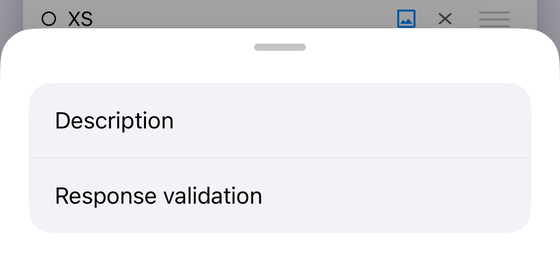
Form+ is a native iPhone and iPad client for your real Google Forms, so the same constraint applies: you get the rules Google offers, and there is no word count among them. A question carries Response validation when it is a Short answer, a Paragraph or a Checkboxes question, which mirrors the types Google documents the rule for.
One behaviour is worth flagging because it will bite you. Changing a question’s type clears its validation rule. Converting a Short answer into a Paragraph, which is exactly what you do when a brief grows from a sentence to three hundred words, drops the rule that was on it. The question keeps its title and its required flag; the rule is gone, silently. Set the rule after the type is settled, and if you change a type later, open the question again and check.
Set validation rules without opening a laptop
Form+ edits your real Google Forms on iPhone and iPad — your account, your Drive, no migration.
Get Form+ free on the App StoreFrequently asked questions
Does Google Forms have a word count?
No. Google documents no word-count rule and no word counter anywhere in Google Forms. The only length rule it publishes is Length, and Google's own wording for it is "Maximum or Minimum character count". Nothing counts words while a responder types, and nothing counts them on submit.
How do I set a 500 word limit on a Google Form?
You cannot set one directly. The usual approach is a Length rule with a generous character maximum, plus a custom error message that states the limit in words. Around 3,000 characters is a common stand-in for 500 words of English prose, but it is an estimate, not a conversion, and a responder who writes long words will hit it sooner.
Do responders see a character counter while typing?
Google does not document one. The rules page describes only what happens when an answer does not follow the rules, and the message a responder then receives. Treat the Length rule as a gate at submit time rather than a counter a responder can watch, and write your custom error text so it still makes sense to someone who has just been rejected.
Does the Length rule count spaces and line breaks?
Google does not say. The help centre gives the rule a unit, character count, and never defines what counts as a character. Spaces, newlines in a Paragraph answer, accented letters and emoji are all unaddressed. If your cap sits close to what people will actually write, test it in the live form with a real answer rather than trusting a guess.
How do I count words in Google Forms responses?
Count them in the linked Google Sheet, after the fact. In a spare column next to the answer, a formula built from Google's SPLIT and COUNTA functions splits an answer on spaces and line breaks and counts the pieces. This is the honest answer for anyone auditing responses, because it measures what was actually submitted instead of trying to police it beforehand.