Google Forms vs Typeform
Last updated September 2026 · ~13 minute read
Short verdict: if the point of the form is to collect answers from a lot of people at no cost, pick Google Forms — free, no published response cap, and it will not stop accepting submissions on the eleventh reply. If the form is a customer-facing piece of your brand and you can pay for a monthly response allowance, pick Typeform: the design, the one-question-at-a-time flow and the logic tools are genuinely better. The number that decides it is Typeform's free plan: 10 responses per month across all of your forms combined.
Form+ edits your real Google Forms on iPhone and iPad — your account, your Drive, no migration and no monthly response meter. Get Form+ free on the App Store.
Written from each vendor's own pages. Where those pages do not answer a question — including the “10 questions on the free plan” figure most comparisons repeat — this page says so.
How we checked
Every number below comes from a page published by Google or by Typeform — not a review site, and not either company's marketing about the other.
- Typeform side: the plans and pricing page at typeform.com/pricing, and the Typeform Help Center articles Free plan, Basic plan, Plus plan, Business plan, What Typeform plan is best for me?, Response limits, Close your form, What is branching logic?, How to add multiple questions to a form page, File Upload question, Signature question, Remove Typeform branding, Question types and Create forms on mobile.
- Google side: the Google Docs Editors Help centre (support.google.com) — the pages for choosing a question type, showing questions based on answers, viewing and managing responses, and Google's published file-size and content limits — plus the Google Workspace Updates blog for the auto-close controls that shipped in January 2026.
One access note. help.typeform.com returned HTTP 403 to our direct requests, from an ordinary fetch and from a browser user agent alike. Rather than substitute a blog post or a community thread, we read those articles through the help centre's own public article API — published title, body, last-updated date — and named the human URLs above so you can check them yourself. Where neither route answered, the table says Not verified. Several Typeform plan pages also carry the note that it “sometimes experiment[s] with our pricing plans”, so your own account may differ from the pricing page; prices below are the US-dollar figures it served on 13 September 2026.
Head to head
| Google Forms | Typeform | |
|---|---|---|
| Cost to start | Free with a Google Account; unlimited forms Source: support.google.com, Google Forms help |
Free plan, unlimited typeforms Source: help.typeform.com — “Free plan” |
| Free-tier response allowance | No published cap; degradation thresholds only — summary above 50,000, Sheets sync above
100,000, CSV timestamp ordering above 10,000 Source: support.google.com/docs/answer/139706 |
10 responses per month across all forms combined Source: help.typeform.com — “Free plan”, “Response limits” |
| Paid response allowances | None — no per-response tier Source: support.google.com |
Per month, account-wide: Basic 100 · Plus 1,000 · Talent 3,000 · Business 10,000 · Growth Flow
10,000. Add-ons documented up to 750 (Basic), 2,500 (Plus), 50,000 (Business) Source: help.typeform.com — “What Typeform plan is best for me?”, plan articles |
| What happens at the limit | Nothing documented — the form keeps collecting Source: support.google.com/docs/answer/139706 |
Forms go into Private mode until the next month or an upgrade; deleted responses still count
against the month Source: help.typeform.com — “Response limits” |
| Published prices | None for Forms itself Source: support.google.com |
USD list on 13 Sep 2026, billed monthly: Basic $39 · Plus $79 · Business $129 · Talent $169 ·
Growth Flow $379 per month. Billed yearly, shown as $28 · $56 · $91 · $119 · $266 per month.
Currency is region-served and the page carries more than one price set — a
snapshot, not a quote Source: typeform.com/pricing |
| Questions per form | Up to 300 pieces of content and up to 75 sections Source: support.google.com |
“Unlimited” for Basic and above. The Free plan has no column there and its help article
states no cap → Not verified for Free Source: typeform.com/pricing; help.typeform.com — “Free plan” |
| Interaction model | A page of questions at a time; sections split a long form into pages | “Each question or Statement you add to your form is considered a form page. Respondents will see
one question on a page at a time as they answer your form.” Multiple questions per page is an option,
supported for 17 question types Source: help.typeform.com — “How to add multiple questions to a form page” |
| Question types | 12: short answer, paragraph, multiple choice, checkboxes, dropdown, file upload, linear scale,
rating, multiple choice grid, checkbox grid, date, time Source: support.google.com |
A longer list: Contact Info, Address, Phone Number, Website, Picture Choice, Ranking,
Matrix, Opinion Scale, NPS®, Legal, Question Group, plus Payment, File Upload, Signature and video
questions on specific plans Source: help.typeform.com — “Question types” |
| Conditional logic | “Go to section based on answer”, documented as available only for Multiple choice and
Dropdown questions Source: support.google.com |
Branching to a question, Question Group or Ending; hidden questions, hidden answer choices,
calculations, scoring and outcome quizzes. Logic is not available in the mobile
builder Source: help.typeform.com — “What is branching logic?” |
| Auto-close the form | By date and time, or after a set number of responses — free, off by default, shipped January
2026 Source: Google Workspace Updates, January 2026 |
Manual close and access settings on any plan; scheduled close date, response limit and
custom closed message are Business plan features Source: help.typeform.com — “Close your form” |
| Payments | None native Source: support.google.com |
Payment question via Stripe or PayPal, from the Basic plan up Source: help.typeform.com — “Basic plan” |
| Signature question | No signature question type Source: support.google.com |
Signature question — type, draw or upload; on Growth Flow, Growth Custom and
Enterprise plans only Source: help.typeform.com — “Signature question” |
| File upload | File upload question; the responder must sign in to a Google Account Source: support.google.com |
From Basic up; all file types, 10 MB max per
file; storage 1 GB (Basic), 2 GB (Plus), 4 GB (Business) Source: help.typeform.com — “File Upload question”, plan articles |
| Removing the vendor's branding | No “powered by” badge exists, so none to remove. Theming:
a header image, a theme and background colour, three font roles Source: support.google.com |
“Powered by Typeform” can be removed on Plus and above; the browser-tab favicon
cannot be removed, and a custom domain needs Growth Custom or Enterprise Source: help.typeform.com — “Remove Typeform branding” |
| Seats included | Collaborators added as Editors at no extra cost Source: support.google.com |
Free 1 · Basic 1 · Plus 3 · Talent 3 · Business 5 users Source: help.typeform.com — “What Typeform plan is best for me?” |
| Building on a phone | No Google-published Forms app for iPhone or iPad; the mobile website is the
Google-provided route Source: support.google.com |
typeform.com in Safari or Chrome, “still in development”;
no Logic, Question settings, Layouts or new Question Groups Source: help.typeform.com — “Create forms on mobile” |
Cost, and the one number that decides it
Google Forms is free in the ordinary sense: free forms, free responses, free exports, no meter. Typeform is free in the trial sense — nearly all of the design and logic machinery is on the Free plan, and the volume is set to “10 unique submissions in total from your forms with your free account, every month”. That allowance is account-wide, not per form: Typeform's Response limits article says limits “apply across all forms in your account”, reset monthly, and do not carry over. Google Forms has no equivalent meter. A Google Form that gets 2,000 replies keeps collecting; a free typeform stops at ten.
It is a business model, not a gotcha, but “both have a free tier” tells you almost nothing on its own. What the paid rungs buy is mostly volume plus a small feature unlock: Basic adds payments, file uploads, quiz mode and your logo; Plus adds branding removal, a brand kit, a custom subdomain and 3 seats; Business adds drop-off insights, the scheduled auto-close, Salesforce and analytics integrations and 5 seats. Prices are in the table above — check them on the day you buy.
The interaction model: one question at a time
This is the real product difference, and it is a design decision rather than a feature checkbox. Typeform's default, quoted in the table above, is one question per page, then the next. It has since added the option to put several questions on one page; the documented list of compatible types is Checkbox, Date, Dropdown, Email, Legal, Long Text, Multiple Choice, NPS®, Number, Opinion Scale, Phone Number, Ranking, Rating, Short Text, Statement, Website and Yes/No.
Google Forms works the other way: a form is a scrollable page of questions, and sections are what paginate it. Twenty questions in a Google Form look like twenty questions. Twenty questions in a typeform look like one question, twenty times. Someone who wants a long internal form over with can see the end of a scrollable page; a stranger has to be persuaded through, which is the work Typeform's “doubling the completion rate vs. traditional forms” claim describes. Google Forms cannot be configured to imitate it.
Logic and branching: Typeform is clearly ahead
Google Forms has one branching feature, in the table above. Typeform has a toolkit: branching set from a question's Logic panel or from the Workflow panel, with a visual Logic Map for reviewing a complex flow; questions hidden on previous answers or URL parameters; calculations for prices and totals; and outcome quizzes mapping answer combinations to endings.
So if your form is a quiz routing to one of six results, a quote calculator, or a qualification flow with several exits, Google Forms will have you rebuilding it out of sections. The one catch, documented by Typeform itself: Logic is not available in the mobile builder. Logic in the service of a study rather than of one respondent's journey is a different class of product again — Google Forms vs Qualtrics.
Limits: two different shapes of ceiling
Google publishes limits about the form — content items and sections. Typeform publishes limits about the account — responses per month, seats, storage. So with Google Forms you plan around structure and rarely think about volume; with Typeform you watch the meter, because hitting it takes your live forms offline rather than merely slowing something down. Not every rival's ceiling has one of those two shapes: Google Forms vs Airtable forms takes apart a third.
Auto-close is the sharpest illustration. Typeform's is the more carefully specified of the two — its documentation spells out that a response limit counts from the moment you save the setting rather than from publication, and how concurrent submissions are resolved at the boundary — but a scheduled close is on the $129-a-month rung, and Google's is free.
Design: the honest gap
Against the Google row in the table above, Typeform sells design: your logo from Basic; premium themes, brand kits, removal of the “Powered by Typeform” footer, loading-screen text and custom subdomains on Plus; custom domains and custom fonts on the top plans. Google has none of those. Typeform is also straight about what you cannot remove — the browser-tab favicon stays, because the form is hosted on Typeform's domain, and the documented workaround is embedding the form in your own site.
If the form represents your company to strangers, Typeform is the better-looking product and it is not close. If it is an internal sign-up sheet, you are paying for pixels nobody will judge you on.
What we could not verify
- A question cap on Typeform's Free plan. The pricing comparison table gives “Questions per form” as “Unlimited” and starts at Basic; the Free plan has no column, and the Free plan help article mentions no limit. The commonly repeated “10 questions” figure is in neither, so it is not here.
- Whether Logic is genuinely free. The Free plan article lists Logic — branching, calculations, scores, variables — as a Free-plan feature; the What Typeform plan is best for me? table lists it in the Basic row. Test it in an account before committing.
- Region-specific Typeform pricing. Currency resolves at runtime; we can report only the US-dollar set we were served.
- Typeform's completion-rate claim. Its own marketing figure about forms in general, not a measured comparison with Google Forms.
- A hard Google Forms response cap. Google publishes degradation thresholds, not a maximum. “No published cap” is the fact; “no cap” would be an inference.
- Google's recommended header image dimensions. Not published.
Which one to pick
Typeform if the form is marketing and its look decides whether a stranger finishes it, or if you need branching richer than “go to section”, payments, signatures (its Signature question also emails a PDF copy), or a question type Google has never had — Matrix, Ranking, NPS®, Picture Choice, or a Phone Number field with country validation. All of which assumes a volume modest and predictable enough that the monthly meter never bothers you.
Google Forms if you do not know how many replies to expect, or know it is more than a few hundred; if budget is zero and has to stay zero; if your data already lives in Sheets and Drive; or if the audience is internal.
If you chose Google Forms and work from a phone
One footnote that belongs here rather than in the table. Neither vendor gives you a full native form builder on iOS. Google publishes no Google Forms app for iPhone or iPad at all, and Typeform's own documentation describes mobile creation as a browser experience that is “still in development”, without Logic, Question settings, Layouts or new Question Groups.
Form+ closes that gap on the Google side only. It is a native iPhone and iPad client that signs in to your own Google account and works on the real forms already in your Drive, writing back to those same forms rather than to copies. It can import your existing forms, add conditional logic, theme and brand a form, limit or schedule responses, generate a QR code or prefilled link, and export responses to CSV or Google Sheets. To be explicit about what it is not: Form+ is a Google Forms client. It does not open, edit or import typeforms, and it is not a third competitor to the two products compared above.
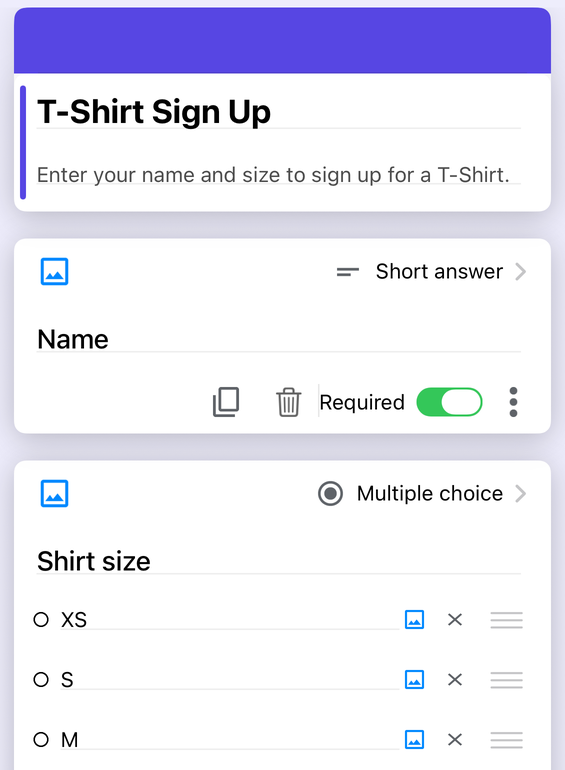
Staying on Google Forms?
Form+ edits your real Google Forms on iPhone and iPad — your account, your Drive, no migration and no monthly response meter.
Get Form+ free on the App StoreFrequently asked questions
Is Typeform free?
There is a Free plan, and Typeform's own help article for it describes unlimited typeforms, design tools, Logic including branching, custom endings, embedding, downloadable results and Typeform AI. The constraint is not the feature list, it is the meter: the Free plan collects 10 responses per month across all of your forms combined. Google Forms is free with no published response cap, so on price alone Google Forms wins for anything sent to more than a handful of people.
How many responses does the Typeform free plan allow?
Ten per month, in total, across every form in the account — not ten per form. Typeform's Response limits article states that limits apply across all forms, reset monthly, and cannot be carried over, and that when you hit 100% of the limit your forms go into Private mode until the next month begins or you upgrade. Deleting responses does not give the allowance back: a deleted response still counts. The paid ladder runs 100 per month on Basic, 1,000 on Plus, 3,000 on Talent and 10,000 on Business.
Does Typeform limit how many questions you can put in a form?
Typeform's published pricing comparison lists Questions per form as Unlimited for Basic and above, and the Free plan help article does not state a question cap at all. The Free plan has no column in that comparison table, so the widely repeated claim that the free plan is capped at 10 questions per form is not something we could confirm from Typeform's own current pages — we are recording it as unverified rather than repeating it. Google Forms publishes its own shape of limit: up to 300 pieces of content and up to 75 sections per form.
Does Typeform really get higher completion rates than Google Forms?
Typeform's home page claims its design and conversational logic double the completion rate versus traditional forms. That is a vendor claim about forms in general, not a head-to-head test against Google Forms, and we did not verify it. What is verifiable is the mechanism behind it: Typeform's help centre states that respondents see one question on a page at a time, and Typeform sells premium themes, brand kits and branding removal. If your form is customer-facing marketing, that polish is real and Google Forms has no equivalent.
Can I edit Google Forms on an iPhone?
Google does not publish a Google Forms app for iPhone, so the Google-provided route is the Forms website in a mobile browser. Typeform is in a similar position: its Create forms on mobile article describes building in a mobile browser, says the feature is still in development, and notes you cannot add Logic, use Question settings, add Layouts or create Question Groups on mobile. A third- party native client such as Form+ signs in to your own Google account and edits the forms already in your Drive. Form+ is a Google Forms client only — it does not open or edit typeforms.