Google Forms vs SurveyMonkey
Last updated September 2026 · ~11 minute read
Short verdict: if you are collecting answers and want to keep all of them, pick Google Forms — free, no published response cap, data in your own Drive. If your job is research rather than collection — methodologist-written questions, matrix and Best Worst Scale types, crosstabs, significance testing, or respondents you do not already have — pick SurveyMonkey, and budget for a paid plan from day one. The condition most comparisons skip: SurveyMonkey's free Basic plan meters what you can see, not what you collect, and its own help centre says responses above that line “aren't viewable and will be deleted.”
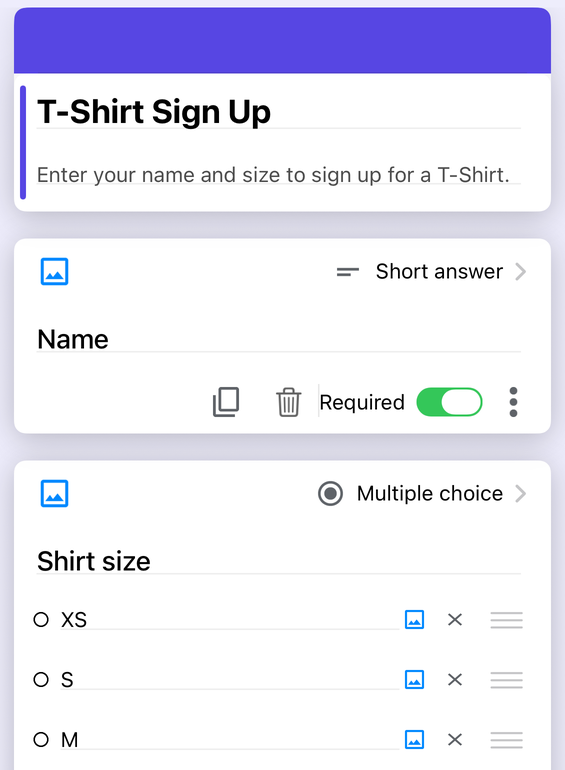
Form+ edits your real Google Forms on iPhone and iPad — your account, your Drive, no migration. Get Form+ free on the App Store.
These two are usually compared as if they were the same product at different prices. They are not. One is a free collection tool wired into a spreadsheet; the other is a survey research platform that happens to have a free tier. This page is written from each vendor's own pages, and where a page did not answer something, it says so.
How we checked
Every SurveyMonkey number below was read off a page SurveyMonkey publishes, on 14 September 2026 — no review sites, no roundups, nothing either company writes about the other.
- SurveyMonkey side: surveymonkey.com/pricing/, /pricing/individual/details/, /mp/free-vs-paid-plans/, the Audience panel page, and the help centre (help.surveymonkey.com) articles on Account Response Limits, SurveyMonkey Plans, Question Types, Question Skip Logic, Logic Features, Question Bank and Exporting Survey Results.
- Google side: the Google Docs Editors Help centre pages for question types, response limits and viewing responses, plus the Workspace Updates post for January 2026's response-count auto-close.
The free tiers: one caps collection, the other caps sight
This is the difference that decides most of these comparisons, and it is genuinely unusual. Basic gives you unlimited surveys, but caps each one at 10 questions — the pricing page's plan comparison reads “Free users can add up to 10 questions per survey” — and at a limited number of viewable responses. The pricing FAQ is precise: “Basic lets you view a limited number of responses per survey, even if you collect more. Your response limit is visible when you sign up or log in to a Basic account.”
So the form keeps accepting submissions; you simply cannot read them. The help centre's Account Response Limits article spells out what happens next: “Responses over the survey's limit aren't viewable and will be deleted.” It continues: “You can immediately delete these responses over your account limit or we will automatically delete them 1 year after they were collected,” and points to upgrading “to view and keep access to all of your responses.” The pricing page repeats the rule for anyone who downgrades.
Every rival we have written up meters collection instead: Microsoft caps a free personal account at 200 responses, Typeform at 10 a month, Jotform at 100 a month against a 500 stored ceiling. You know where those walls are, and nothing already gathered disappears behind them. Basic is the only one that lets you gather answers you are not allowed to read, then removes them.
An honest gap: SurveyMonkey no longer publishes the Basic viewing number anywhere we could find. It is account-specific and, in its own words, shown only once you sign up or sign in — so we are not printing a figure we could not read off a SurveyMonkey page.
Google Forms has no equivalent mechanism. It is free with no published response cap, and the thresholds Google does document are degradation, not deletion: the summary may not render above 50,000 responses, Sheets sync may stop above 100,000, CSV may lose timestamp ordering above 10,000. Nothing is withheld and nothing is removed.
Head to head
| Google Forms | SurveyMonkey | |
|---|---|---|
| Questions per survey, free tier | Unlimited (Google publishes 300 pieces of content and 75 sections, not a question cap) | 10 — “Free users can add up to 10 questions per survey” (pricing details) |
| Responses, free tier | No published cap | A limited number of viewable responses per survey; the number is unpublished, shown only in your account (pricing details FAQ) |
| What happens above the free limit | Nothing — responses keep arriving and stay readable | “Responses over the survey's limit aren't viewable and will be deleted”; auto-deleted 1 year after collection (help.surveymonkey.com, Account Response Limits) |
| Paid response allowances | Not applicable | Standard Monthly 1,000/month; Advantage Annual 15,000/year; Premier Annual 40,000/year; $0.15 per response over (pricing details) |
| Published prices | Free with a Google Account | Standard Monthly $129/month billed monthly; Advantage Annual $39/month, $468 billed annually; Premier Annual $139/month, $1,668 billed annually; Team Advantage $30/user/month and Team Premier $92/user/month, both “starting at 3 users, billed annually” (surveymonkey.com/pricing/) |
| Question types | 12 documented | 23 documented, including Matrix / rating scale, Best worst scale, Ranking, Slider, Click map, Image choice and Text/Image A/B test (Question Types) |
| Question types that can drive logic | Multiple choice and Dropdown only | Multiple Choice, Dropdown, NPS, Star Rating, single-row Matrix / Rating Scale, Image Choice; Checkboxes with a documented caveat (Question Skip Logic) |
| Advanced logic | Go to section based on answer | Advanced branching on multiple conditions, same-page logic, randomisation, carry-forward, piping, quotas, disqualification (Logic Features) |
| Export results | CSV download, or a linked Google Sheet, on the free tier | Paid feature. Exporting Survey Results is labelled “Paid feature”, and CSV/XLS/PPT/PDF export is absent from the Basic column of the pricing table |
| Filter and compare results | Summary, question and individual views; anything deeper happens in Sheets | Not on Basic; Standard Monthly upward. Crosstabs Premier-only; SPSS export and significance testing Advantage and above (pricing details) |
| Pre-written question library | None | Question Bank — “hundreds of questions… written and certified by our very own survey methodologists”, on all plans (Question Bank) |
| Buy respondents | No equivalent | SurveyMonkey Audience: “more than 335M+ people in over 130 countries, with over 200 targeting options”, from $1 per response, sold separately |
| Payments | No | Yes — Accept Payments via PayPal or Stripe (Question Types) |
| Where responses live | Your own Google Drive; optionally a Google Sheet you own | SurveyMonkey's platform, under its plan and retention rules |
| Auto-close | By date and time, or response count (January 2026) | Quotas close a survey at a set ratio of responses; Advantage and above |
Question types and logic: SurveyMonkey is not close
Google documents twelve question types; SurveyMonkey documents twenty-three, and the extra eleven are the shapes survey research actually uses. Matrix / rating scale with optional answer weighting, Best worst scale, Ranking, Slider, Click map, Image choice and built-in Text and Image A/B tests have no Google Forms equivalent; grids and a linear scale approximate the first and nothing like the rest.
Logic is the same story. Google's branching works on two question types and does one thing: jump to a section. SurveyMonkey's Question Skip Logic works on Multiple Choice, Dropdown, NPS, Star Rating, single-row Matrix / Rating Scale and Image Choice, and its Logic Features page adds advanced branching on multiple conditions, same-page logic, randomisation, carry-forward, piping and quotas. If your questionnaire has real routing in it, this is not close.
Analysis and reporting: the free tier gives you a view, not an export
SurveyMonkey's analysis tools are the reason people pay for it: filtering and comparing results, word clouds, custom columns and chart colours from Standard Monthly; SPSS export and significance testing at Advantage; crosstabs at Premier. Google Forms has nothing comparable in the product itself.
The catch is at the bottom of the ladder: exports are a paid feature. SurveyMonkey's Exporting Survey Results article carries a “Paid feature” badge, and CSV/XLS/PPT/PDF export is absent from the Basic column of the pricing table. A free account can read a capped number of responses on screen and cannot take them out; Google Forms hands you a CSV or a live Sheet for nothing. One further documented limit: above 100,000 responses — or when respondents multiplied by questions exceeds 100,000 — only CSV exports are available.
The panel: the thing Google has no answer to
Everything above is about a form. SurveyMonkey Audience is about the people who fill it in, and it is the one capability here that Google does not sell at any price. SurveyMonkey publishes access to “an audience of more than 335M+ people in over 130 countries, with over 200 targeting options”, “starting at $1 USD per response”, plus census balancing, custom screening questions and its own data-quality controls. Those responses are billed separately — the help centre says they “are not included in SurveyMonkey plans—this is a separate service you can use to buy respondents to take your survey.”
If you need 500 responses from parents of under-fives in Germany by Thursday, Google Forms cannot help and SurveyMonkey can. That is not a feature-grid tick; it is the strongest single argument for SurveyMonkey on this page. Google's side of that row stays empty whichever rival you put in it: the same requirement decides our Google Forms vs Qualtrics comparison too.
Where your data lives
Google Forms responses sit in your own Drive, in a file you own, and optionally in a Sheet you also own. No plan governs whether you can read them, because there is no plan. SurveyMonkey responses sit on its platform under its plan rules, which include deleting over-limit responses a year after collection, and deleting over-limit responses older than 365 days if you downgrade. That is published rather than hidden, and for a paid account with headroom it is irrelevant. For a free account it is the most important sentence on their site.
Pick SurveyMonkey if…
- You are doing research, not collection. Matrix questions, Best Worst Scale, ranking, weighting, crosstabs and significance testing are real methodology tools; Google Forms has none.
- You want questions you did not have to write. Question Bank's methodologist-certified library is on every plan, Basic included.
- You need respondents. Audience is the differentiator, and nothing Google sells competes.
- Your survey needs routing. Six logic-capable question types plus advanced branching, randomisation, piping and quotas, against Google's jump-to-a-section.
- You need to take a payment inside the survey. PayPal and Stripe are documented; Google Forms has no payment question.
Pick Google Forms if…
- You want to keep every response without paying. No cap, no unviewable tier, no deletion clock. This is the whole argument.
- You need more than 10 questions and you are not paying. Basic stops at ten.
- You need the data out. Free CSV and a live Sheet, versus an export that is a paid feature.
- The data should live in your Drive. Your account, your file, your retention rules.
- It is a sign-up sheet, RSVP, quiz or class form rather than a research instrument. For that job SurveyMonkey's strengths are things you will never open, and its free tier is worse.
If you chose Google Forms and work from a phone
One gap on the Google side belongs here rather than in the table: Google publishes no Google Forms app for iPhone or iPad, so Google's own route on a phone is the website in a mobile browser.
Form+ is a native iPhone and iPad client for your real Google Forms. It signs in to your own Google account, imports the forms already in your Drive and writes back to those same files rather than to copies. It adds what the phone experience is missing: bulk editing, CSV question import and export, a QR studio and prefilled links, kiosk mode, response notifications, a response limiter, and response exports as CSV, Excel, PDF, Google Sheets or Google Slides. To be clear about scope: Form+ is a Google Forms client. It does not open or replace SurveyMonkey surveys, and it offers no panel, no weighting and no survey methodology tooling — that side of this comparison is SurveyMonkey's.
Staying on Google Forms?
Form+ edits your real Google Forms on iPhone and iPad — your account, your Drive, no migration.
Get Form+ free on the App StoreFrequently asked questions
Is SurveyMonkey free?
There is a free Basic plan, and it is more limited than most comparisons admit. SurveyMonkey's pricing page states that free users can add up to 10 questions per survey, and its pricing FAQ that “Basic lets you view a limited number of responses per survey, even if you collect more.” Exports are a paid feature. Paid individual plans are published as Standard Monthly at $129 a month billed monthly, Advantage Annual at $39 a month billed annually as $468, and Premier Annual at $139 a month billed annually as $1,668.
What happens to responses over the SurveyMonkey free limit?
They are collected, they are not viewable, and they are deleted. SurveyMonkey's Account Response Limits article states: “Responses over the survey's limit aren't viewable and will be deleted,” adding that you can delete them immediately “or we will automatically delete them 1 year after they were collected.” Upgrading before that happens is the documented way to see and keep them. Google Forms publishes no response cap and deletes nothing.
Can you export results on a free SurveyMonkey account?
No. SurveyMonkey's Exporting Survey Results help article is marked “Paid feature”, and CSV, XLS, PPT and PDF export do not appear in the Basic column of its pricing comparison. Google Forms lets any free account download responses as CSV or link the form to a Google Sheet.
Is SurveyMonkey better than Google Forms for research?
Yes, clearly. SurveyMonkey documents 23 question types against Google's 12, including matrix and Best Worst Scale questions Google has no equivalent for; a Question Bank certified by its own survey methodologists; skip logic on six question types where Google's works on two; crosstabs, SPSS export and significance testing on higher plans; and SurveyMonkey Audience, a panel of more than 335 million people in over 130 countries. Google Forms is a collection tool; if your work is survey research, that gap is the answer.
Can I edit Google Forms on an iPhone?
Google does not publish a Google Forms app for iPhone, so Google's own route is the Forms website in a mobile browser. A third-party native client such as Form+ signs in to your own Google account and edits the forms already in your Drive. Form+ is a client for Google Forms only; it does not open or edit SurveyMonkey surveys.