Google Forms vs Jotform
Last updated September 2026 · ~14 minute read
Short verdict: if what you need is a form that keeps collecting and keeps its data, pick Google Forms — unlimited forms, no published response cap, no storage ceiling, no badge. If you need the form to do things — take a card payment, collect a legally-framed signature, calculate a quote, route to a different email, or hold protected health information under a signed BAA — pick Jotform, because Google Forms does none of those natively at any price. The catch: Jotform's free Starter plan is metered on several axes at once, and the one people miss is the 500 total stored submissions — a ceiling that never resets.
Form+ edits your real Google Forms on iPhone and iPad — your account, your Drive, no submission meter and no storage cap to overflow. Get Form+ free on the App Store.
These two products are not metered on the same thing, are not free in the same way, and are not aimed at the same job.
How we checked
Every number below was read off a page published by the vendor it describes. No review sites, no roundups, nothing either company says about the other.
- Jotform: jotform.com/pricing, including the plan-limit data it ships to the browser to draw its table, the source of every per-plan figure here, plus jotform.com/hipaa, jotform.com/products/sign, jotform.com/integrations/category/payment-processing, jotform.com/form-templates, jotform.com/widgets, and the Help Center articles Understanding Your Jotform Account Usage and Limits, What is Conditional Logic? How to Add Conditional Logic to Forms and Quick Overview of Form Elements.
- Google: the Google Docs Editors Help centre (support.google.com) on choosing a question type, showing questions based on answers, viewing and managing responses, file upload questions, and published content and file-size limits — plus the Google Workspace Updates blog for the auto-close controls.
Caveats, since we make a point of these. www.jotform.com/help served our requests normally — HTTP 200, no bot wall — so the help quotes are from the articles themselves. Jotform's help URLs are numbered rather than named and several plausible numbers resolve to unrelated articles, so each is named above by title, not by a URL we guessed. The pricing page composes its table in the browser, so the figures come from the plan data it serves, not a screenshot. And Jotform “charges its users in U.S. dollars or euros, depending on where you are located”, with a promotional discount running alongside the list on the page we read: every price below is the US-dollar list served on 13 September 2026.
The free tiers are not comparable, and here is why
Google Forms is free in the ordinary sense of the word — unlimited forms, free exports, free collaborators, no badge on the form, and no published response cap, only the degradation thresholds in the table below. Jotform's free tier, the Starter plan, is free the way a sampler is free: its pricing FAQ describes it as including “all standard features, such as form templates, payment integrations, and widgets”, and that is true — Starter is not feature-crippled, it is volume-crippled, metered on several axes at once, any one of which can stop you. The row-by-row numbers are in the table.
One axis can lose you data rather than merely block you, and it is the least-discussed number in this comparison: the 500 total stored submissions is not a monthly allowance but a cap on how much data your account may hold, and it does not reset. Jotform's pricing FAQ and its account-usage help article both state that overflowing it deletes your oldest entry to make room for the new one — so a free account can sit comfortably inside its 100-a-month allowance in month six and still be silently dropping what it collected in month one. The documented remedy is to download and purge, or upgrade.
None of this is a scandal; it is a business model. But it does mean “both have a free plan” carries almost no information here: Google's free plan is the product, Jotform's is the demo.
Head to head
| Google Forms | Jotform | |
|---|---|---|
| Cost to start | Free with a Google Account; unlimited forms Source: support.google.com, Google Forms help |
Free “Starter” plan; described as including all standard features Source: jotform.com/pricing — Pricing FAQ |
| Free-plan submissions | No published cap. Documented degradation thresholds only: summary above 50,000, Sheets sync above
100,000, CSV timestamp ordering above 10,000 Source: support.google.com |
100 per month, account-wide Source: jotform.com/pricing — plan data |
| Free-plan stored submissions | No published storage cap on responses Source: support.google.com |
500 total, and it does not reset. “If you exceed your total submission storage,
the system will delete the oldest form response to make room for new submissions.” Source: jotform.com/pricing — Pricing FAQ; Help Center, “Understanding Your Jotform Account Usage and Limits” |
| Number of forms | Unlimited Source: support.google.com |
Active forms by plan: Starter 5 · Bronze 25 · Silver 50 · Gold 100 Source: jotform.com/pricing — plan data |
| Form views metered? | No — Google publishes no view meter Source: support.google.com |
Yes, monthly and account-wide: Starter 10,000 · Bronze 100,000 · Silver 1,000,000 ·
Gold 10,000,000 Source: jotform.com/pricing — plan data |
| File uploads | File upload question; the respondent must sign in to a Google Account and the files count against
the form owner's Drive quota Source: support.google.com |
Account-wide upload space: Starter 100 MB · Bronze 1 GB · Silver 10 GB · Gold 100 GB. No
respondent sign-in documented Source: jotform.com/pricing — plan data |
| Fields per form, and seats | Up to 300 pieces of content and up to 75 sections Source: support.google.com |
Fields per form: Starter 100 · Bronze 250 · Silver 500 · Gold 1,000. Starter is a
1-user account Source: jotform.com/pricing — plan data |
| Question / element types | 12: short answer, paragraph, multiple choice, checkboxes, dropdown, file upload, linear scale,
rating, multiple choice grid, checkbox grid, date, time Source: support.google.com |
An element panel divided into Quick, Basic, Survey, Page, Payments and Widgets sections, plus
“hundreds of online form widgets” Source: Help Center, “Quick Overview of Form Elements”; jotform.com/widgets |
| Conditional logic | “Go to section based on answer”, documented as available only for Multiple choice and
Dropdown questions, and it moves respondents between sections Source: support.google.com |
Six documented condition types: Show/Hide Field · Update/Calculate Field · Enable/Require/Mask
Field · Skip To/Hide a Page · Change Thank You Page · Change E-mail Recipient Source: Help Center, “What is Conditional Logic? How to Add Conditional Logic to Forms” |
| Payments in the form | None native — no payment question type Source: support.google.com |
40 payment-processor integrations, including Stripe, PayPal, Square,
Authorize.Net, Braintree, Mollie and Venmo, “which charge no additional transaction fees”. Metered:
10 payment submissions/month Starter, 100 Bronze, 250 Silver, 1,000 Gold Source: jotform.com/integrations/category/payment-processing; jotform.com/pricing — plan data |
| E-signature | No signature question type at any tier Source: support.google.com |
Jotform Sign, with an audit trail, citing the US E-SIGN Act, UETA and the EU's eIDAS regulation.
Metered as signed documents per month: Starter 10 · Bronze 100 · Silver 250 · Gold 1,000 Source: jotform.com/products/sign; jotform.com/pricing — plan data |
| HIPAA compliance | Not offered for consumer accounts Source: support.google.com |
“HIPAA compliance features are optional features, such as encryption, auditing, and PHI
segmentation… These features are available on Gold and Enterprise plans only.”
Covered Entity customers who enable them “will also receive a signed Business Associate Agreement
(BAA)” Source: jotform.com/pricing — Pricing FAQ; jotform.com/hipaa |
| Templates | A template gallery in the product, but no published list or count Source: support.google.com |
20,000+ form templates claimed, across 73 listed categories, plus 150+
integrations Source: jotform.com/form-templates; jotform.com/pricing footer |
| Vendor branding on the form | None — a Google Form carries no “powered by” badge on any tier Source: support.google.com |
“Forms built by users on Jotform's Starter plan include Jotform branding. Users on other Jotform
plans can remove this branding and replace it with their own.” Signed documents are branded on Starter
too Source: jotform.com/pricing — Pricing FAQ |
| Published prices | None for Forms itself Source: support.google.com |
USD list, 13 Sep 2026: Bronze $39/mo or $408/yr · Silver $49/mo
or $468/yr · Gold $129/mo or $1,188/yr. Enterprise is custom-quoted. Billed in USD or
EUR by location; a promotional price set was live alongside the list Source: jotform.com/pricing |
| What happens at the limit | Nothing documented; the form keeps collecting Source: support.google.com |
Monthly submissions: a “Form over quota” message, then “the system will disable your forms on
the scheduled date indicated in the email” Source: Help Center, “Understanding Your Jotform Account Usage and Limits” |
| Auto-close by date or count | Yes — by date and time, or after a set number of responses. Free, off by default, shipped
January 2026 Source: Google Workspace Updates, January 2026 |
Yes — both: Disable on Specific Date closes the form on a date and time you choose,
Disable at Submission Limit after “a specified number of submissions”, and a combined option
closes on “whichever happens first”. No plan restriction documented Source: Jotform, How to Add Time and Response Limit to Your Form |
| Where responses live | In the form's Responses tab, optionally linked to a Google Sheet; uploaded files land in the
form owner's Drive Source: support.google.com |
In your Jotform account, subject to the storage cap. “Jotform uses Google Cloud and AWS for all our
data center hosting needs and doesn't maintain any in-house servers”, and states compliance with GDPR
and CCPA Source: jotform.com/pricing — Pricing FAQ |
| Free trial of paid plans | Not applicable Source: support.google.com |
“There is no trial period for Jotform plans”; Starter is the trial, and it excludes HIPAA
features. 50% education and nonprofit discounts on Bronze, Silver and Gold Source: jotform.com/pricing — Pricing FAQ |
Form-building depth: Jotform is genuinely ahead
The logic row above is the whole story: one kind of logic, available from two question types, against six documented condition types, a six-part element panel, hundreds of widgets and 20,000-plus templates. A Google Form cannot add up a price, change who gets the notification email, require a field only when an earlier answer was “yes”, or vary the thank-you page by outcome — and no setting will make it.
The practical test: a questionnaire — you ask, they answer, you read the answers — is the whole of what Google Forms does, and does well. A process that routes, calculates and takes payment is Jotform's job.
Payments and signatures: the two Google simply does not have
Google Forms has no payment question type and no signature question type at any tier, and no setting adds one; the usual answers are a link out to a payment page or a third-party add-on. Jotform has both, metered like everything else, with signed documents branded on Starter. If either is a requirement rather than a nice-to-have, the comparison is already over and Jotform wins it.
Compliance: HIPAA is a real, and expensive, difference
Jotform markets HIPAA heavily and, unusually for heavily-marketed compliance claims, documents exactly where it applies: Gold and Enterprise only, Starter explicitly excluded, with a signed Business Associate Agreement for Covered Entity customers who enable the features. The entry price is therefore the Gold plan at $129 a month, or $1,188 a year.
Google Forms has nothing equivalent for a consumer account: HIPAA coverage across Google's products is a Workspace arrangement negotiated at the domain level, not something a personal Google account can switch on. So — do not collect protected health information in a free Google Form. If you handle PHI, this single row decides the comparison whatever the rest of the table says.
Where your data lives
This is the quiet difference that shows up two years later rather than on day one. A storage cap constrains retention, not merely intake: keeping three years of submissions means choosing a Jotform plan on the retention figure — 500 on Starter, 10,000 Bronze, 25,000 Silver, 100,000 Gold — and overflowing it costs you your oldest data. A Google Form meters nothing per response and deletes nothing to make room; its one catch is that uploaded files consume the form owner's Drive quota. Export discipline matters more on Jotform, most of all on the free plan.
What we could not verify
- Jotform's mobile apps. Jotform publishes them; we did not test them and make no claim about what they build.
- Enterprise pricing. Jotform's pricing FAQ describes Enterprise as custom-priced for large organisations. Any figure would be a guess.
- Region-specific and promotional pricing. Jotform bills in USD or EUR by location and the page we read was serving a discount alongside its list. We report the US-dollar list.
- Whether every Jotform condition type is free. The conditional-logic article names six types and states no plan restriction; that is not “documented as free”.
- A hard Google Forms response cap. Google publishes degradation thresholds, not a maximum. “No published cap” is the fact; “no cap” would be an inference.
Pick Jotform if…
Four rows settle it on their own, because on each one Google Forms offers nothing rather than less: payments, e-signature, HIPAA with a signed BAA and logic beyond jumping to a section. Low volume, high requirements.
Pick Google Forms if…
Read the volume, forms and branding rows instead: against Jotform's free ceilings — 100 submissions a month, 500 stored, five active forms, all carrying Jotform's badge — Google publishes no cap, no form limit and no branding on any tier, and the answers land in Sheets and Drive. Auto-closing by date or response count argues for neither product: both document it, neither restricts it by plan.
If you chose Google Forms and work from a phone
One footnote that belongs here rather than in the table. Google does not publish a Google Forms app for iPhone or iPad, so the Google-provided way to build or manage a form on a phone is the website in a mobile browser. That is a real gap on the Google side of this comparison and worth knowing before you pick.
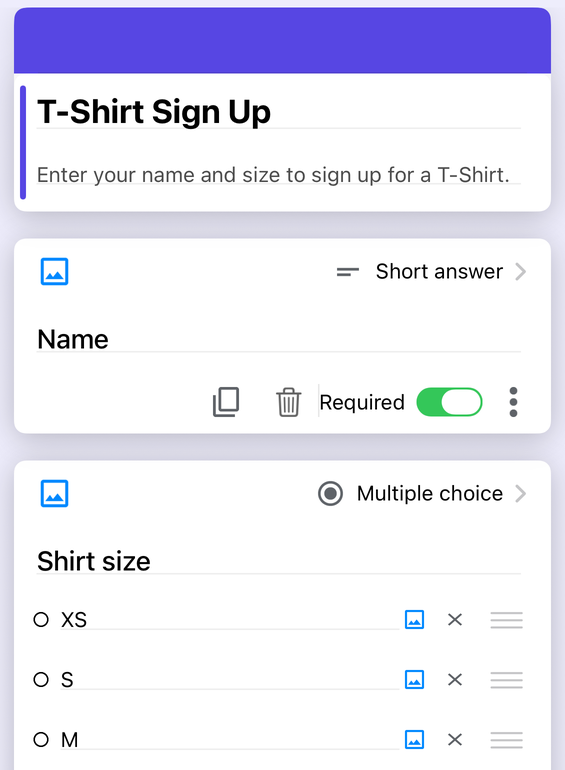
Form+ closes that gap on the Google side only. It is a native iPhone and iPad client that signs in to your own Google account and works on the real forms already in your Drive, writing back to those same forms rather than to copies. It can import your existing forms in bulk, add conditional logic, theme and brand a form, limit or schedule responses, generate a QR code or a prefilled link, translate a form into a new language, and export responses to CSV, Excel, Google Sheets or a PDF report.
Two things it deliberately is not, so nobody arrives disappointed. Form+ is a Google Forms client — it does not open, edit or import Jotform forms, and it is not a third competitor to the two products above. And because it builds real Google Forms, it inherits Google's ceiling on the two features compared above: it does not add payments or e-signatures to a Google Form, because a Google Form has no such fields to add. If you need those, the honest answer is the one at the top of this page: that is Jotform's job, not ours.
Staying on Google Forms?
Form+ edits your real Google Forms on iPhone and iPad — your account, your Drive, no submission meter and no storage cap to overflow.
Get Form+ free on the App StoreFrequently asked questions
Is Jotform free?
There is a free tier, called the Starter plan, and Jotform's pricing page describes it as including all standard features such as form templates, payment integrations and widgets. What it does not include is room. The Starter plan is metered on several axes at once: 100 form submissions a month, 5 active forms, 500 total stored submissions, 100 MB of upload space, 10,000 form views a month, 10 payment submissions a month and 10 signed documents a month. Google Forms is free with unlimited forms and no published response cap, so if the only thing you need is to collect answers from a lot of people, Google Forms is the cheaper product by a wide margin.
How many submissions does the Jotform free plan allow?
One hundred a month, account-wide, across every form you own. But the number that catches more people is the separate one next to it: total submission storage on the Starter plan is 500 entries, and unlike the monthly counter it does not reset. Jotform's own pricing FAQ states that if you exceed your total submission storage the system deletes the oldest form response to make room for new submissions. So a free Jotform account can be inside its monthly allowance and still be quietly discarding your earliest data. Google Forms publishes no equivalent cap on either axis.
Does Jotform offer HIPAA compliance when Google Forms does not?
Yes, and this is the clearest win on the Jotform side. Jotform's pricing page states that HIPAA compliance features — encryption, auditing and PHI segmentation — are available on Gold and Enterprise plans only, and its HIPAA page states that Covered Entity customers who have enabled HIPAA compliance features also receive a signed Business Associate Agreement. Gold is the $129-a-month rung, so HIPAA is real but it is not cheap. Google Forms offers no consumer HIPAA path at all: HIPAA coverage for Google products is a Workspace administrative arrangement, not something a personal Google account can switch on. If you handle protected health information, do not put it in a free Google Form.
Is Jotform better than Google Forms for building forms?
For depth, yes, and it is not close. Google Forms documents 12 question types and branching that works only on Multiple choice and Dropdown questions, moving respondents between sections. Jotform documents six kinds of conditional logic — Show/Hide Field, Update/Calculate Field, Enable/Require/Mask Field, Skip To/Hide a Page, Change Thank You Page and Change E-mail Recipient — plus an element panel split into Quick, Basic, Survey, Page, Payments and Widgets sections, hundreds of widgets, and 20,000-plus published templates. Where Google Forms wins is everything around the form: no meter, no branding, unlimited forms and a one-click link to Google Sheets.
Can I edit Google Forms on an iPhone?
Google does not publish a Google Forms app for iPhone or iPad, so the Google-provided route is the Forms website in a mobile browser. A third-party native client such as Form+ signs in to your own Google account and edits the real forms already in your Drive, writing back to those forms rather than to copies. Form+ is a Google Forms client only — it does not open, edit or import Jotform forms, and it is not a third product competing with the two compared here.