The Google Forms form ID
Last updated September 2026 · ~10 minute read
Short answer: the form ID is the string in the editing
address — docs.google.com/forms/d/FORM_ID/edit — and it is the form's Drive file ID, which is
why Google's own sample code hands it to the Drive API as fileId. It is not the link
you send to people: that is a separate field, on a different /d/e/…/viewform path. Two more
IDs sit alongside them — one naming the response spreadsheet, one naming a version of the form
rather than the form itself. All four are output-only.
Form+ edits the Google Forms already in your Drive from an iPhone or iPad — same files, same IDs, no migration. Get Form+ free on the App Store.
Nearly every tangle here comes from assuming a form has one identifier. It has several, they live on different surfaces, and the interesting question is not what each one is called but which of them still points at your form after you copy it, rename it, hand it over or edit it.
Every identifier on a form is output-only
Start with the machine-readable source rather than a summary. The Forms API v1
discovery document (revision
20260909) gives the Form
resource eight fields. Five of them are marked “Output only”, and every identifier is
among them: formId, responderUri, linkedSheetId,
revisionId — plus publishSettings. The three you may write are the ones that hold
content: info, items and settings.
That is the shape of the whole subject. You can read a form's names; you never assign one.
Apps Script agrees from the
other end — getId(), getEditUrl() and getPublishedUrl() are getters
with no matching setters anywhere on the class.
The one that names the file
Google defines the form ID in the glossary of its
Forms API overview: each form “has a
unique formId value, containing letters, numbers, hyphens, or underscores. You can find the
form ID in a Forms URL: https://docs.google.com/forms/d/FORM_ID/edit”. The reference adds only
“Output only. The form ID.”, and Apps Script's Form.getId() adds only “Gets the ID of the
form.”
The sharpest thing Google publishes about it is not prose at all — it is a code sample. In
Publish and manage
responders on the form, the routine for finding who can answer a form is commented “This is done by
listing the permissions of the form in Google Drive”, and the call it makes is
permissions.list({ fileId: formId }). The form ID is the Drive file ID. Everything
that belongs to Drive rather than to Forms — permissions, the bin, who owns the thing — is addressed with
this one string, which is why ownership lives in
Drive and not in the Forms API.
The address you send is a different identifier
The responder link is its own field: “Output only. The form URI to share with responders. This opens a
page that allows the user to submit responses but not edit the questions.” Apps Script keeps the two apart
just as firmly, with getEditUrl() — “Gets the URL that can be used to access the form's edit
mode” — beside getPublishedUrl(), “Gets the URL that can be used to respond to the form.”
Now look at what Google's overview page actually returns for its own example quiz, a couple of screens
below the glossary entry that defined the form ID out of a /forms/d/…/edit address:
"responderUri": "https://docs.google.com/forms/d/e/1FAIpQLSd0iBLPh4suZoGW938EU1WIxzObQv_jXto0nT2U8HH2KsI5dg/viewform"
A different path — /d/e/ — carrying a different, longer token. Google publishes both shapes
on one page and nowhere explains the relationship between them: not in the help centre, not
in Apps Script, not in the REST reference, not in the discovery document. Treat the responder link as
something you read from the form, never as something you assemble from the form ID.
One conditional is documented, and it matters if you automate: “For forms that have
publish_settings value set, this is the published form URI.” The same field, in other words, can describe
different addresses depending on whether a form is
published. And the short form of that link
is a fourth shape again: Apps Script's shortenFormUrl(url) “Converts a long URL for a form to a
short URL”, returning — in Google's own words, which have not kept up with its own product — “A URL in the
form http://goo.gl/forms/1234”, where the editor's
Shorten URL option issues a forms.gle address
today. Either way it is derived from the responder link, not from the form ID.
The one that names a version, not a form
This is the distinction the whole subject turns on. revisionId does not name your form. It
names the state your form was in when you read it, and Google's description is unusually forthcoming:
“The revision ID of the form… The format of the revision ID may change over time, so it should be treated opaquely. A returned revision ID is only guaranteed to be valid for 24 hours after it has been returned and cannot be shared across users. If the revision ID is unchanged between calls, then the form content has not changed.”
Then comes the sentence people miss. Google defines what a revision is not watching: “Form content excludes form metadata, including: sharing settings (who has access to the form), publish_settings (if the form supports publishing and if it is published).” Add an editor, remove a responder, publish or unpublish the form — by this definition none of that is a content change, and a revision ID that sat still is not telling you the form sat still. Google also warns in the other direction: a changed ID “usually” means content changed, but “can also be due to internal factors such as ID format changes”.
Its actual job is concurrency. The WriteControl schema takes one as
targetRevisionId, and if intervening edits have landed, “the changes in this update request are
transformed against those changes… with the server resolving conflicting changes.” Leave it too long and
the write is refused: “In most cases a target revision ID remains valid for several minutes after it is
read, but for frequently-edited forms this window may be shorter.” A handle whose write window is measured in minutes, and whose life is
capped at 24 hours either way, is a version handle rather than an identity. (It is also not a door into the past —
there is no version history for Forms.)
The fourth ID points at somebody else's file
linkedSheetId is “Output only. The ID of the linked Google Sheet which is accumulating
responses from this Form (if such a Sheet exists).” It is the only one of the four that names a
different Drive file, and the only one you can repoint. REST cannot: batchUpdate publishes
exactly six kinds of request — create, move, update and delete an item, update the form's info, update its
settings — and not one of them touches the destination. Apps Script can, with
setDestination(type, id), whose note is worth carrying away: “All forms, including those that
do not have a destination set explicitly, save a copy of responses in the form's response store.” The sheet
ID is a pointer, and what it points at is not where responses live. What identifies one submitted response
is a separate question with a separate answer.
What survives a copy, a rename, a transfer, an edit
Cells below say “not documented” where Google publishes nothing. That is not the same as “it changes”, and we are not going to fill the gaps with guesses.
| Identifier | Editing the form | Renaming it | Ownership transfer | Making a copy |
|---|---|---|---|---|
formId | Unchanged — it names the file, not the contents | Not documented; the Drive-visible name is a separate field, documentTitle, editable only through Drive | Unchanged: a transfer writes a permission on the existing file | New ID (inferred — see below) |
responderUri | Not documented; nothing describes an edit re-addressing a form | Not documented | Not documented | Not documented |
revisionId | Changes — that is its entire purpose | Not documented (a rename is metadata, not content) | Not documented; sharing changes are explicitly excluded from “content” | Expires anyway: valid 24 hours, and not valid for another user |
linkedSheetId | Unchanged; changes only when you repoint the destination | Not documented | Not documented | Not documented |
The copy row deserves its evidence stated out loud, because most pages state it as a fact and cite nothing. Google's copy-a-form instructions describe the clicks and stop. What is documented is that a form is “created and stored in Drive”, and that Drive's files.copy method “Creates a copy of a file” — a second file, which Drive addresses by its own ID. A copy is therefore a new form with a new form ID. That is an inference from two documented facts, not a rule you can quote, and the practical consequences of the difference belong to copying a form to another account.
Where Google is silent
We looked in four places: the Docs Editors help centre (Publish & share your form with
responders and How to use Google Forms), the Apps Script reference for Form and
FormApp, the Forms REST reference for the forms resource, and the v1 discovery
document. Three things come back empty in all four:
- What the
/d/e/token is. It turns up inside a sample response and is never named, defined, or connected to the form ID in any of the four. - What a copy or a rename does to any of these identifiers. Documented for neither.
- The phrase “form ID” in the help centre at all. The consumer-facing pages describe the link as something you copy and send; a search of Google's support site surfaces the term in user-written community threads, not in a help article. If you need the ID, you read it out of the URL yourself.
On a phone
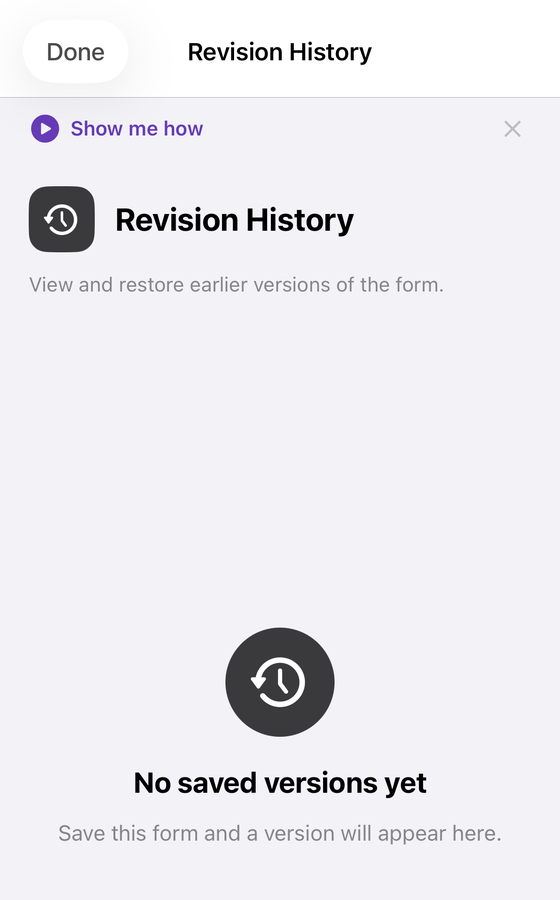
Form+ is a native iPhone and iPad client that opens the forms already in your Drive, so the ID sitting in your desktop address bar and the form you edit on the phone are the same file — not an imported copy. It also keeps a version list of its own, which is a good illustration of the distinction on this page: those versions are snapshots the app stores on the device each time you save, keyed to the form's ID. They are not Google's revisions — and no client can reach those, because the API publishes no method that lists them.
revisionId, which expires after 24 hours. (Not an exhaustive list of what is PRO.)Your real forms, on your own account
Form+ edits the Google Forms already in your Drive from an iPhone or iPad — same files, same IDs, no migration.
Get Form+ free on the App StoreFrequently asked questions
What is a Google Forms form ID?
It is the string Google's Forms API calls formId, documented as “Output only. The form ID.”
Google's API overview adds that each form “has a unique formId value, containing letters,
numbers, hyphens, or underscores” and that you can find it in the editing URL,
https://docs.google.com/forms/d/FORM_ID/edit. It is also the Drive file ID: Google's own sample
for listing a form's responders passes the form ID to the Drive API as fileId.
Is the form ID the same as the link I send people?
No. The responder address is a separate field, responderUri, described as “Output only. The
form URI to share with responders.” Google's own example form returns it on a different path shape —
/forms/d/e/1FAIpQLS…/viewform — than the /forms/d/FORM_ID/edit address its
glossary uses to define the form ID. Google publishes both shapes and never states how the two tokens
relate, so do not try to build one from the other.
Does a copied form keep the same form ID?
No, and be clear about the evidence: Google never says so in a sentence you can quote. Its copy-a-form instructions stop at the clicks. What is documented is that a form is a Drive file and that Drive's copy method “Creates a copy of a file” — a second file, with its own file ID. A copy is therefore a different form with a different ID, which is an inference from two documented facts rather than a published rule.
What is a revision ID in Google Forms?
It names a version rather than the form. Google documents revisionId as opaque, valid for
only 24 hours after it is returned, and not shareable across users. Its definition of what a revision tracks
is the part people miss: “Form content excludes form metadata, including: sharing settings (who has access
to the form), publish_settings.” Adding an editor or publishing the form is not a content change by that
definition.